Digital Forms

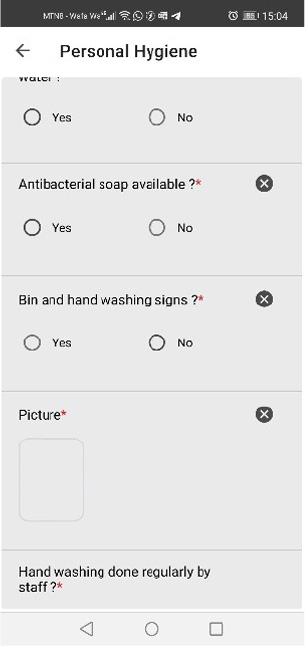
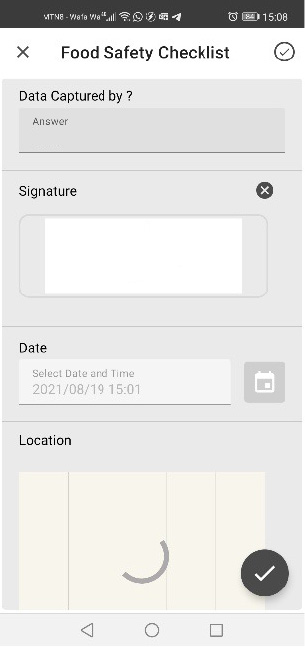
DPA Digital Forms is a mobile data capture app that can be easily tailored to suit multiple remote data capturing applications. Any type of digital form can be created enabling a user to remotely capture embedded Photos, Video, Audio, Signatures, GPS Locations, Barcodes, Maps, Dates, Timestamps and even complex calculations. Besides forms being easily accessible online and offline, forms can even be pushed to a user, so initiating a task with potential real-time information gathering and reporting.

When data is captured and transmitted back to your central information hub, it can then be used in a variety of ways, enabling you to create all kinds of improved Workflows, Reports, Business Intelligence Dashboards, Alerts and Notifications – and all in real-time. Stored securely in the cloud this central hub of information can be accessed, shared and integrated with any current systems you have.

Available on all types of mobile device and covering every industry, DPA Digital Forms has enabled many companies to realise significant cost savings and improved statutory compliance.

Features

DPA DIGITAL FORMS FEATURES:

Benefits

OPERATIONAL BENEFITS ON AN INDUSTRIAL SCALE

Digital Forms will help you eliminate the unnecessary administrative time and operating costs that are impacting your business’s bottom line.

Reduction in data entry errors.
0 %
SAVED ON ADMINSTRATIVE TASKS PER WEEK.
0 Hours
SAVED ON FIELD TASK TIME PER WEEK.
0 Hours

Data Collection

SEAMLESS DATA COLLECTION STARTS HERE

BUILD SMARTER FORMS

Use our simple drag-and-drop Form Builder to customize your forms. Unlike paper, your forms can now validate answers, collect rich media, and reference live data resources.

collect data anywhere

Your teams can complete and submit forms anywhere – even without an internet connection. No more missing paperwork.

Deliver Data to the right places

Information is delivered exactly where you need it. Flag issues for immediate attention. Send responses directly to your data systems to eliminate data re-entry.

You Have THis

Work smarter not harder

#1 Platform

Use the #1 platform engineered to excel on your most important industry tasks. Digital Forms helps businesses run better.

Keep the workflows and data formats you depend on

Seamlessly integrate your own data systems with Digital Forms. Completed forms can be routed in numerous formats to the proper people or systems.

Making data collection easier, faster, and more accurate

Digitizing your data collection process doesn’t have to be difficult. Digital Forms delivers the industrial grade capabilities you need, packaged in a solution that’s easy to-use.
How It works

SEE HOW IT WORKS IN THREE SIMPLE STEPS

Step 1

Create Your Forms

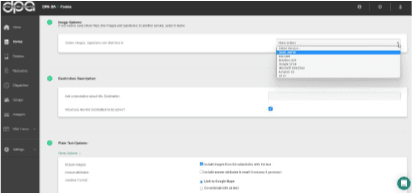
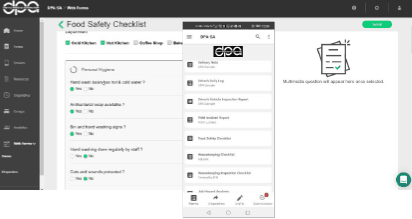
Begin building customized digital forms using our low-code app builder. Easily recreate your existing forms or build new ones from scratch. Simply drag and drop to add, remove and re-order text fields, formula fields, images, geo-tagging, bar codes and more.
Step 1
Step 2

COMPLETE AND SUBMIT YOUR FORMS

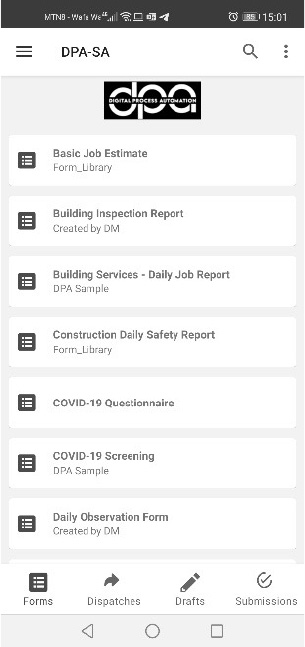
Access your newly created forms in the digital forms mobile forms app and start collecting critical data from field.

Available for IOS and Android devices, our mobile forms app allows your teams to complete and submit forms anytime, anywhere – even offline.
Step 2
Step 3

DISTRIBUTE YOUR DATA

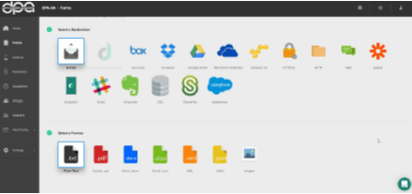
Send data to the right people, at the right time. Once a form is submitted, it can be delivered in any combination of formats you want – and to any number of destinations. Integrate data submissions directly into your existing systems or pull live data from your systems into forms fields.


Step 3

Features

DIGITAL FORMS FEAUTURES

A solution that adapts to your personal needs

Our platform is purpose-built to integrate with your current systems. You can create forms and reports in the formats your teams are used to, customize the app with your own company branding, and much more.

Comprehensive features for professional teams

Digital Forms may be known for our ease-of-use, but that doesn’t mean we’re a lightweight product. Our customisation options and tools ensure that we work with your advanced needs. With powerful integrations, strict data security, and ongoing support, our application is built for the demands of professional teams.

Easy Drag and Drop Form Builder

Recreate your checklists, inspections, audits, and more with our user-friendly form builder.
Reduce entry errors with conditional logic, input validation, required fields, and calculated answers.
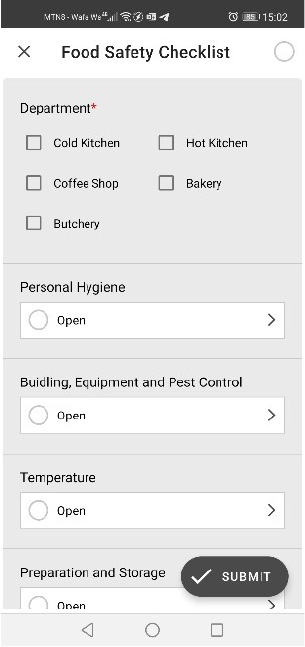
See what forms will look like on mobile devices with the Form Builder Preview.

Complete Forms while offline

Your teams need the ability to complete and submit forms from any location – even where the internet is unavailable.
Unlike most alternatives, Digital Forms lets users submit forms offline. As soon as an internet connection is detected, any completed forms will sync automatically.

INTELLIGENT FORM FIELDS & RICH DATA TYPES

Unlike paper or spreadsheets, Digital Forms lets you work with intelligent form fields.
Questions can be repeatedly answered, data can be validated to prevent errors, fields can be required, and drop-down options can automatically populate from your own live resources.
Work with rich data types. Collect images, capture signatures, draw sketches, scan barcodes, request passwords, and more.

DISPATCH FORMS TO YOUR TEAM IN THE FIELD

Send forms with pre-populated data to notify employees in the field of new tasks.
Automate work zones so that the submission of one form triggers another form to be dispatched.

AUTOMATE ENTIRE BUSINESS WORKFLOWS

Automate your data flow. There’s no limit to the number of destinations you can set up for each form. Depending on how questions are answered, the routing of forms can automatically change. For example, data outside of established parameters can alert those who need critical information.

MULTIPLE DELIVERY FORMATS

Once a form is completed, it is delivered in any combination of formats you want – and to any number of destinations.
Integrate data submissions directly into your systems of record. Or pull live data from your systems into form fields.

COMPLETE YOUR FORMS ON ANY DEVICE

With Digital Forms Online Forms, users can also complete forms on a desktop or laptop from within a web browser.
Your team can log in to the web and see the same forms they would see on their Digital Forms mobile app.

CONTROL FORM ACCESS WITH USER GROUPS

Decide which devices can access which forms, so everyone has what they need, and nothing they don’t.
Share new forms across all devices, or choose which devices to make them available to.

GENERATE CUSTOM TEMPLATES & REPORTS

Use your own custom PDF templates so that your team’s form submissions retain your brand’s look, feel, and corporate identity.
Leverage custom Microsoft Excel templates for enhanced data calculation, organization and charting capabilities.
Custom templates provide a more seamless and presentable experience when you don’t simply want to send raw submission data.

BUILD CUSTOM CHARTS AND VIEW ANALYTICS

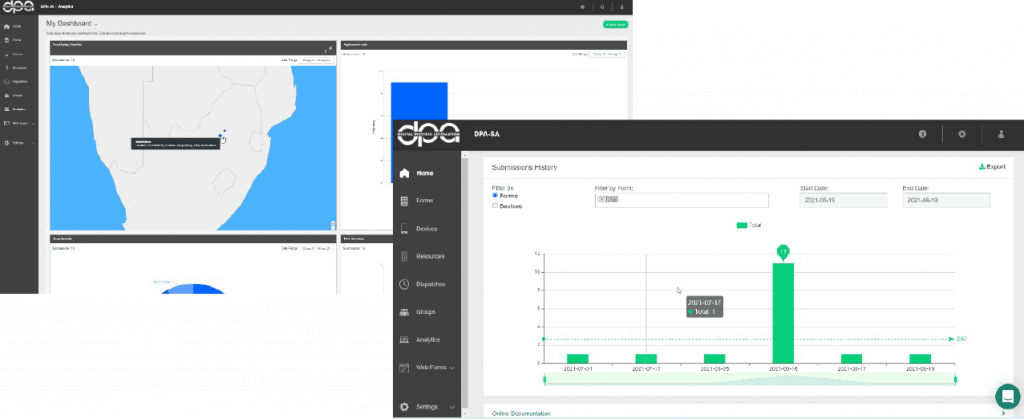
Create charts and customized analytics dashboards to review and track your data.
An all-in-one solution to help you monitor critical business functions, identify trends, and share actionable insights.

GEO MAPPING & MAP OVERLAYS

Superimpose an image on a map, and associate it with a location question to use directly in the field.
Assign a range of different points for data capture. Digital Forms will automatically generate directions to each pin. For example, dispatch a form with mapped locations of specific equipment to be inspected.

ALTERNATE HOSTING OPTIONS

Digital Forms is built upon reliable and secure cloud solutions through Amazon Web Services, however we do offer alternative hosting options. Region-specific hosting is available in select locations, which ensures your data is locked within your chosen server region.
On-premise hosting is also an option for customers who need to deploy Digital Forms to an owned local instance.

Digital Forms Mobile forms integrations

It’s easy to get started integrating Digital Forms with your current software systems. Just authenticate your account, walk through a quick set-up, and start submitting mobile forms data directly into your existing systems.

Whether its photos from the job, a completed inspection form delivered as a customized PDF, or sales data sent to Salesforce objects, it can all be delivered to the platforms you use as soon as it’s collected.

Uses

DIGITAL FORMS USE CASES

Maintenance

Submit maintenance forms from anywhere with Digital Forms. Build custom digital forms for maintenance checks to complete on tablets and mobile devices in the field.

Inspections

Build custom inspection forms to complete on mobile devices with Digital Forms. Use smartphones and tablets in the field to capture inspection information, and submit inspection reports instantly.

Safety

Perform job safety analysis forms and checklists on mobile devices. Submit and log safety information in your backend systems. Improve safety standards by tracking accurate workplace safety data.

Control

Mobile forms allow staff on the floor or in the field to input and track data from quality checks. Build custom forms for recurring quality reviews and checklists to be completed on smartphones or tablets.

Scroll to Top